
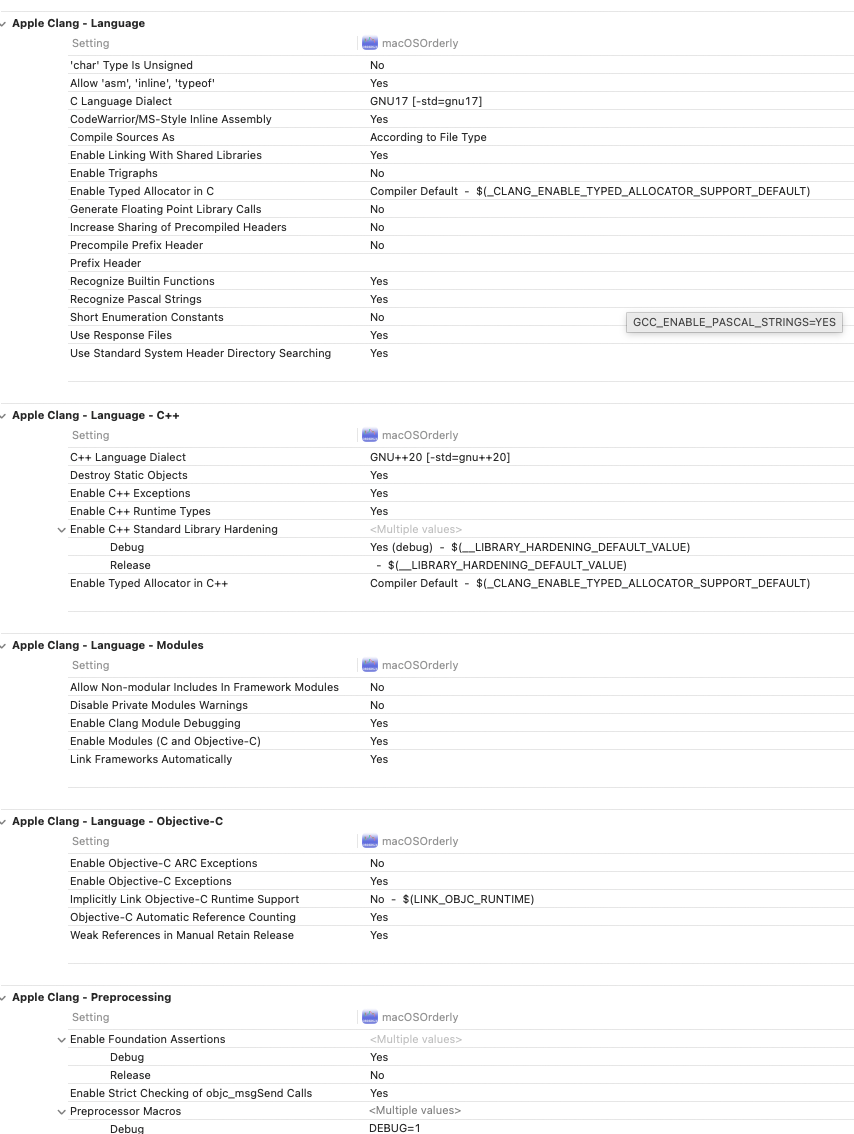
As you may imagine it takes quite some time to get to know an IDE like Xcode. Too many features, many things I still today have no clue why they are offered to “customise”, yet no-one can tell you how you can customise. Like all those compiler settings like only the most hard core programmers have any clue what they do.
Things to customize
Xcode can be quite confusing regarding editors, editor panels, window tabs. Try out what fits best for you. I prefer most of the time to have a new editor open when clicking a source file. I also like it to be pinned.
Settings
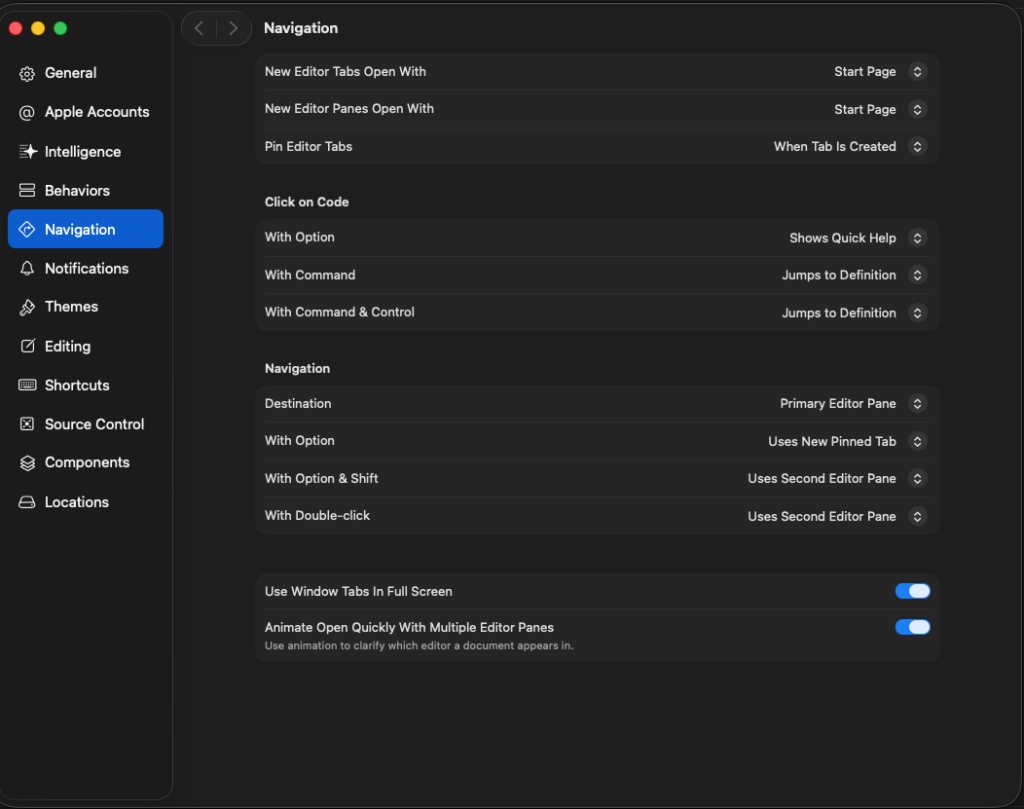
But there are situations where you don’t want all files to open in a new pinned editor tab. Then change to manually or when document is being edited.

Sometimes, as in my case with iOS and macOS port, I needed to compare certain views for differences. I then, sometimes, opened either a new window tab for both iOS and macOS. Sometimes I just opened a new editor pane.

The confusing thing with separate window tabs is, that a new window tab is like a copy of the existing window tab. My suggestion: play around get a feeling of what works well, what doesn’t and adjust the Navigation settings accordingly.
Shortcuts
Shortcuts can make your life easier. For me, using a Swiss German keyboard, certain shortcuts are awkward to use. I have removed a lot of shortcuts.
My most use shortcuts:
- <shift><⌘><f> to find globally
- <⌥><⌘><j> to filter project navigator
- <shift><⌘><0> to quickly open a file (zero not an o)
- <ctrl><6> to quickly display (and filter) a file’s properties/methods/marks (TODO/FIXME/MARK)
- <⌘><1-9> to quickly change navigator (will also hide the navigator if corresponding number is displayed already)
- <⌘><b> to build (see if compiler complains)
- <⌘><r> to run
- <ctrl><0> to select scheme (used for build/run)
Bundle Identifier
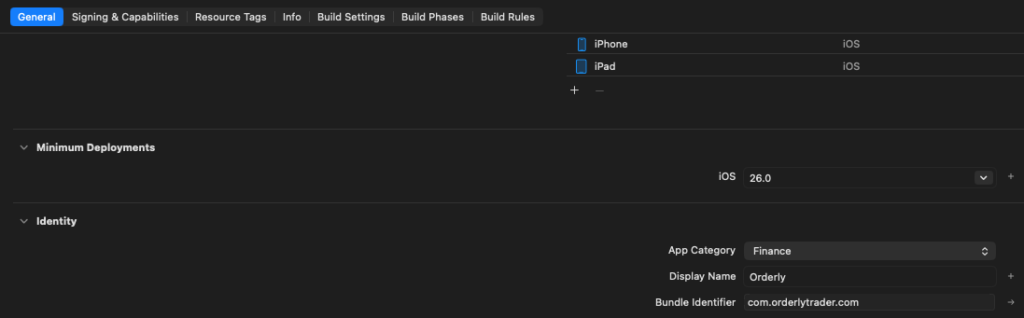
The bundle identifier is very important. I believe changing it, will automatically create a new simulator. So if you rely on dbs where you have stored certain required settings, make sure you do not change Bundle Identifier abirtrarily.
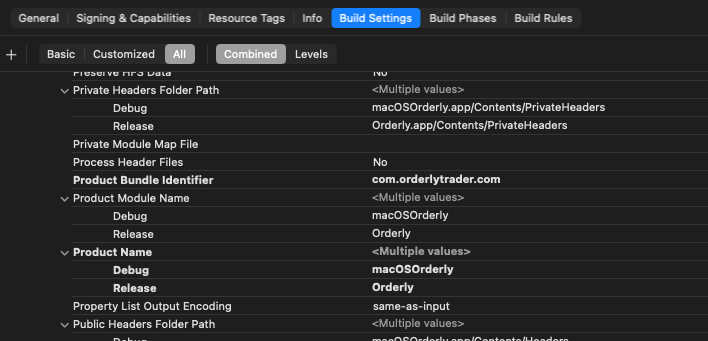
Product Name
iOS: Display Name decides the app’s name
macOS: To change display name for macOS you need to change the Product Name
Capabilities
For iOS I wanted to use FaceID to “uncover” the API secret. For it to work I had to enable FaceID capability and write a sentence for what it is being used for

For Sandbox usage (TestFlight) I had to enable Network capabilities, interestingly only for macOS port

App Icon
I strongly recommend using Apples Icon Composer. It is slightly awkward to use, but with some playing around you can actually create quite nice app icons.


GIT Integration
I first thought: Git integration for a “one-man-show”? why? Eventually it proved very useful. I had 2 situations where I could recover changes which, not using GIT, would have been lost. So get yourself used to it early on.
My personal advice: commit one time too much instead of one time too less. I’d work on small improvement pieces and commit and push repeatedly. For bigger milestones it pays off to actually enter valid commit comments. Instead of working, use “functionality x working, but UX needs improvement”. Or when you deem a “version” is ready, eg. V0.5.4, then commit it as such.
My flow:
- 2 branches (main / dev)
- develop on dev, compile run (git checkout dev and develop, then inside Xcode, stage, commit, push)
- merge into main (in cml: git checkout main, git merge dev)
Main advantage of using multiple branches: You can test on one branch.. if all fails: delete the branch and create a new copy from the last commit where everything worked (chatGPT can help with appropriate GIT commands)
I only stage/commit/publish in Xcode. Rarely I switch branches. As UI does not immediately reflect the newly activated branch.
Differences
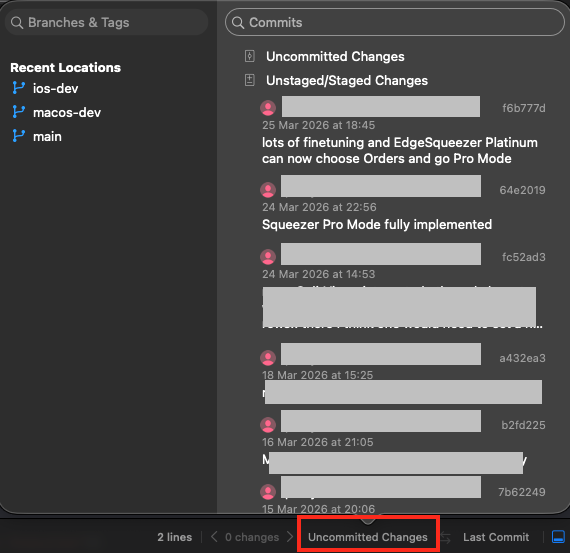
Not sure if you can use that feature without GIT. But to be able to see differences between now and any commit is great.
Enable differences in the top right of the editor with the left/right arrow button.

Once Differences view is displayed you can on the bottom go back to any commit.
ErrorHandling / Debugging / Logging
Errorhandling is usually for me, in a new development environment, one of the first things I want to get right. It can help you so much during debugging issues.
I have implemented very easy to use static methods:
- Log.info
- Log.warning
- Log.error
- Log.debug
- Log.trace
The first 3 are written to log files which can be shared with me. Debug/Trace I mainly use while developing to really deeply inspect what’s going on.
Messages are displayed for both ports via a ZStack Overlay




AppStore integration
I know, having to pay Apple a lot of money to be able to use its AppStore may be quite frustrating. But seeing the functionality it offers: it definitely is worth it.
As a matter of fact you can create a “local” AppStore implementation.
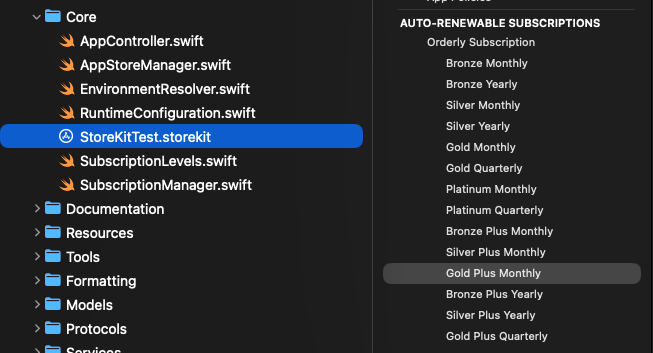
You may choose to give proper names in localisation

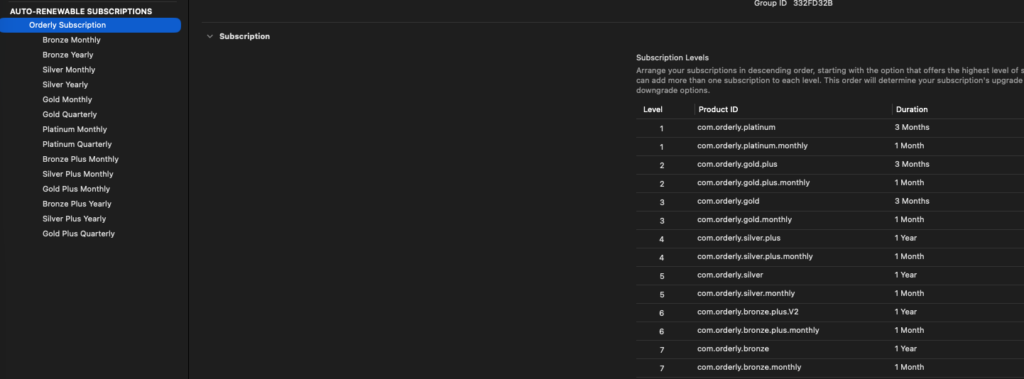
And, VERY IMPORTANT, you need to make sure about the right order. Highest subscription level is 1. In my case monthly and yearly/quarterly share the same level. If you fail to order properly, you will not be able to upgrade/downgrade properly.
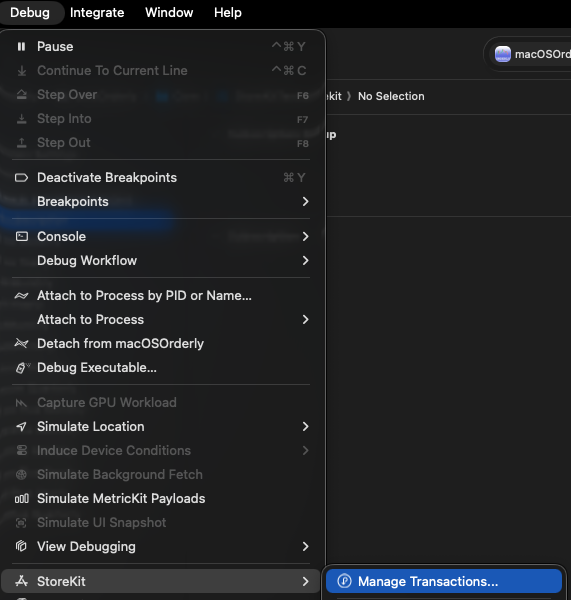
To test you can also delete current subscriptions
AI (Apple Un-Intelligence)
As mentioned elsewhere I basically started my whole app journey with AI. And it helped a lot. But without your mind properly set, you will not succeed. ChatGPT is as stupid as it gets. But read on.
The Xcode integrated chatGPT talks to much. Like pages of why / what blabla… It does not obey my “rules”, eg. yes/no questions are to be answered with yes/no.
Mostly, like literally ALWAYS, it does NOT have context. It like sky high level seems to remember what you are about to build. But when you start complicated stuff, several days of work, it may happen, you need to start explaining every day again afresh. And AI might propose everyday “new” patterns. I more than once ended up with multiple versions os similar but not enough half working solutions.
THIS IS A, SORRY, FUCKING PAIN!!!!!!!! And anyone telling you: AI will do your work in due time: he’s a big liar. Without your brain, AI itself won’t get anything to work. Sincerely: NO CHANCE.
Where chatGPT IS great: helping with single standalone stuff: eg. I need a view to show xyz, it shall have a list of items from that store in status whatever..
Like literally I do not think I made any SwiftUI view myself. That was like 99% work of chatGPT. I merely adjusted stuff to like really look nice. Where I often faced another problem. Something in UX is off. Boundary to small, overlapping stuff, invisible stuff visible etc…
You ask chatGPT for help, it answers like: this is why it will work now … then I already know: he (for me it’s a he), is just guessing.
Like literally in countless situations with issues in UX or backend logic chatGPT fails to help.
Once I figured: Orderly stats are not properly updated during engine execution. For like 4 hours I was fighting with him. He like stubbornly wouldn’t move an inch to find the problem, insisting the problem was there! Even though I had uploaded the source files for investigation. I had to literally prove (with debug logs) EVERY FUCKING step, that the problem was NOT where he thought it would be. After about 4 hours debugging, there was just 1 possibility left. And indeed that one line was wrong.
So in this respect chatGPT helped me a bit stubbornly to do some rubberducking in the end. But he completely failed to find the problem.
Same issue I had when I first uploaded, prepared AppStore connect, with all my subscriptions. Like in total I spent like a week trying to figure out how to get AppStore subscriptions to work. Okay, without chatGPT it might have been a full month of trial and error.
And something which REALLY (sorry again, FUCKING) annoyed me: He always was trying to impose old patterns (ObservableObject instead of @Observable). Every help on onChange he resolved with an approach which is legacy and soon not supported anymore.
In 2 cases: he helped develop a functionality which, in the end, required enabling “Capabilites” on the project. Early on I asked when it didn’t work: do I need to turn on a capability? No, not required.. after like hours of fucking trial and error I figured: Yes the capability IS required to be enabled.
Summary: as much as chatGPT helped, as much it was responsible for my frustrations. And the Xcode version: forget it. You cannot even ask it: why does this work there but not here. I was like 95% of the time using the web chatGPT, uploading relevant source files, or screenshots etc.
AND chatGPT mostly in edge situations was almost always wrong. Mostly because he was trained with old info, or because he couldn’t connect the dots really, thus not being really intelligent at all.
What AI can really do well is create single standalone stuff (a view). As soon as you need to start connecting stuff, he’s miserable AND NOT FUCKING INTELLIGENT AT ALL….
Enough ranting: Yes AI helped me a lot, but was also responsible for like 99.9% of my huge anger and frustration. And calling it “intelligent” is not correct. AI is NOT intelligent. It can create new stuff with your rules. But it cannot connect it to the rest of the system. And this is why AI will never, at least for a long time not, replace real programmers.